Project & Contract
1. Enhance “Bill Quantity selection in tab” feature in Project Quotation, Project Order, Subcon Contract, Subcon Claim V1 screen (FC: TH6_PROJECT_QUOTATION_COSTING_SHEET_BY_ITEM_COD_V1, TH6_PJ_PROJECT_ORDER_V1, TH6_PJ_PROJECT_ORDER_COST_CODE_V1, TH6_PJ_SUBCON_CONTRACT_V1)
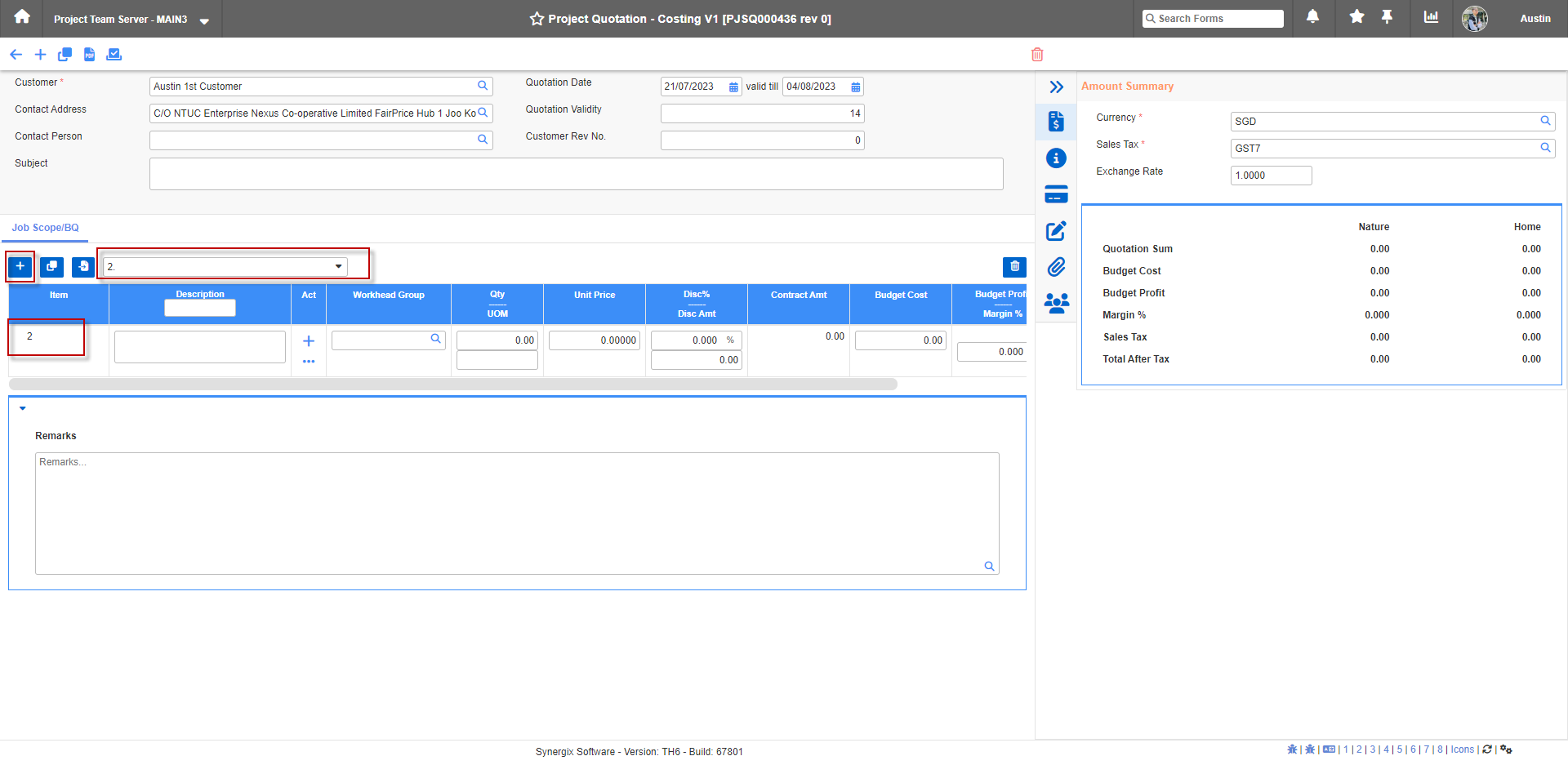
In Synergix ERP Software, Project Quotation screen; we fix the “Bill of Quantities selection in tab” UI to make it easier to use. Specifically, when user selects phase 5, then user clicks + to add phase 6 (as per shown in below pic), the tab should show 6 only and the line item should also show 6 only.
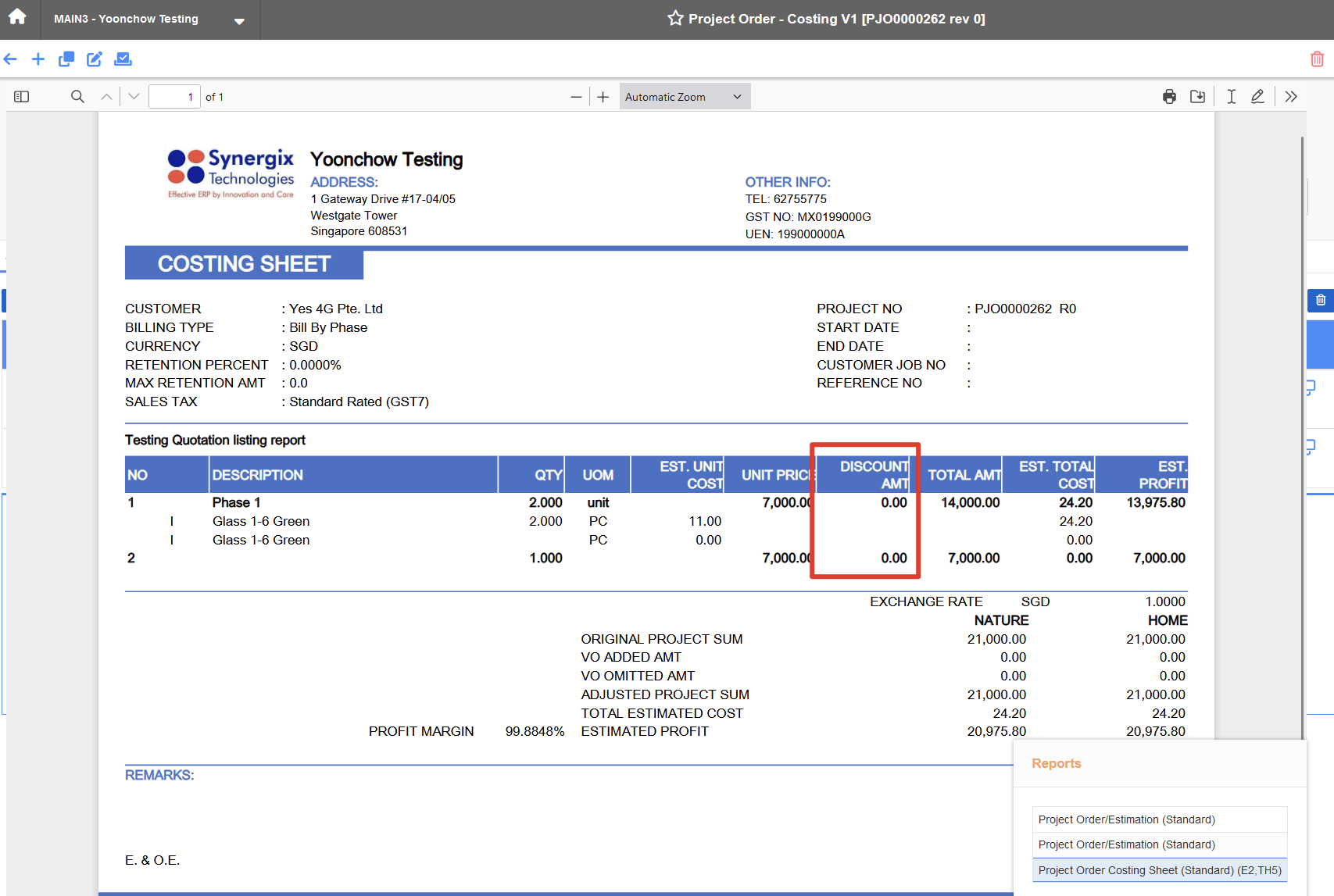
2. Enhance Project Order with costing sheet Business Format to hide/ display “Discount Amount” (FC: TH5R_PJ_400209)
From now, the “Discount Amount” column will be only visible when any of the project phase has discount amt.
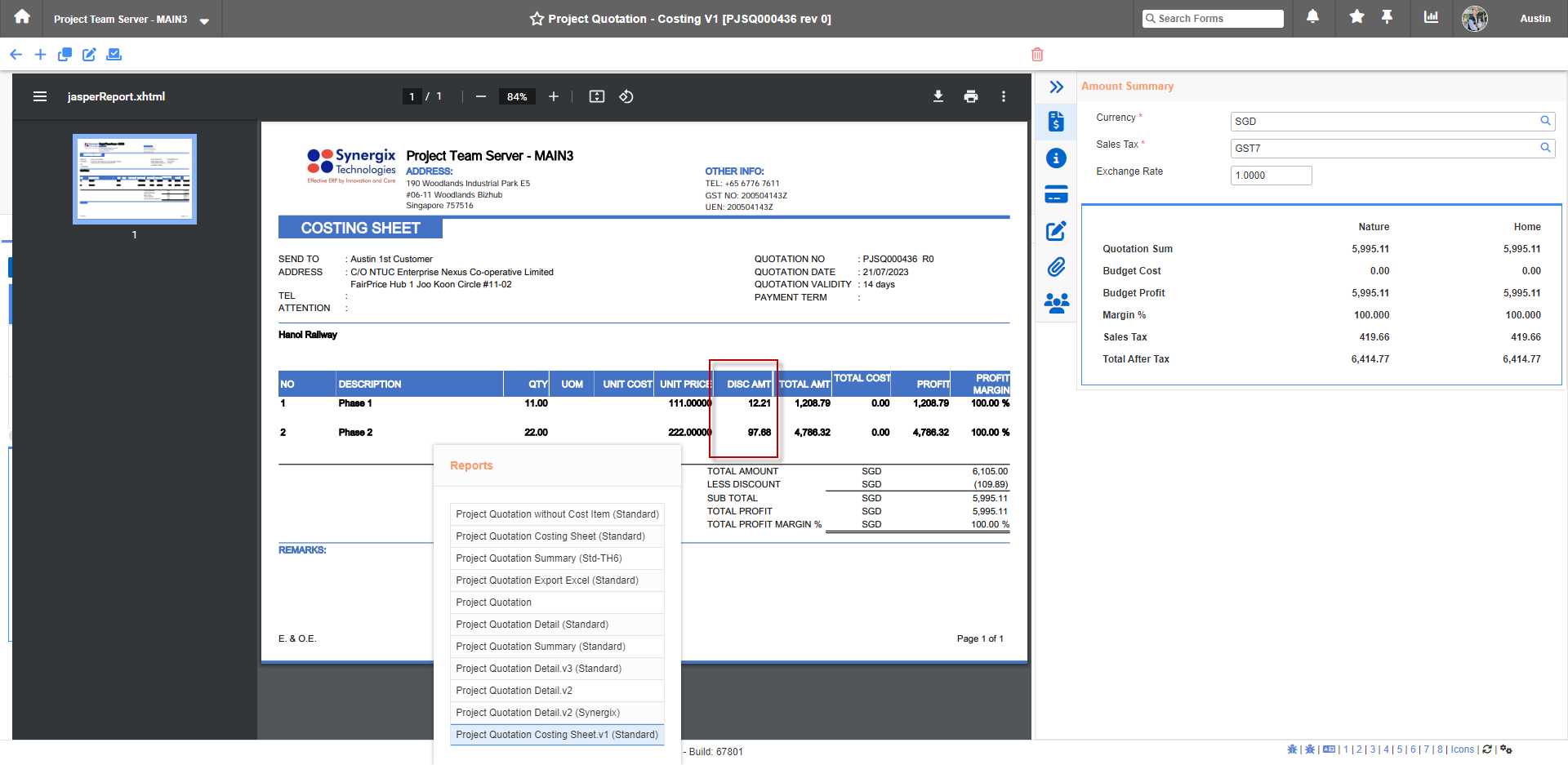
3. Enhance Project Quotation with costing sheet Business Format to display “Discount Amount” (FC: TH5BS_PJ_400197)
We add a column “Discount Amount” between “Unit Price and “Total Amount”. If none of the phase has “Discount Amount” to be shown, then this column is not visible on the Business Format.
SCM & MFG
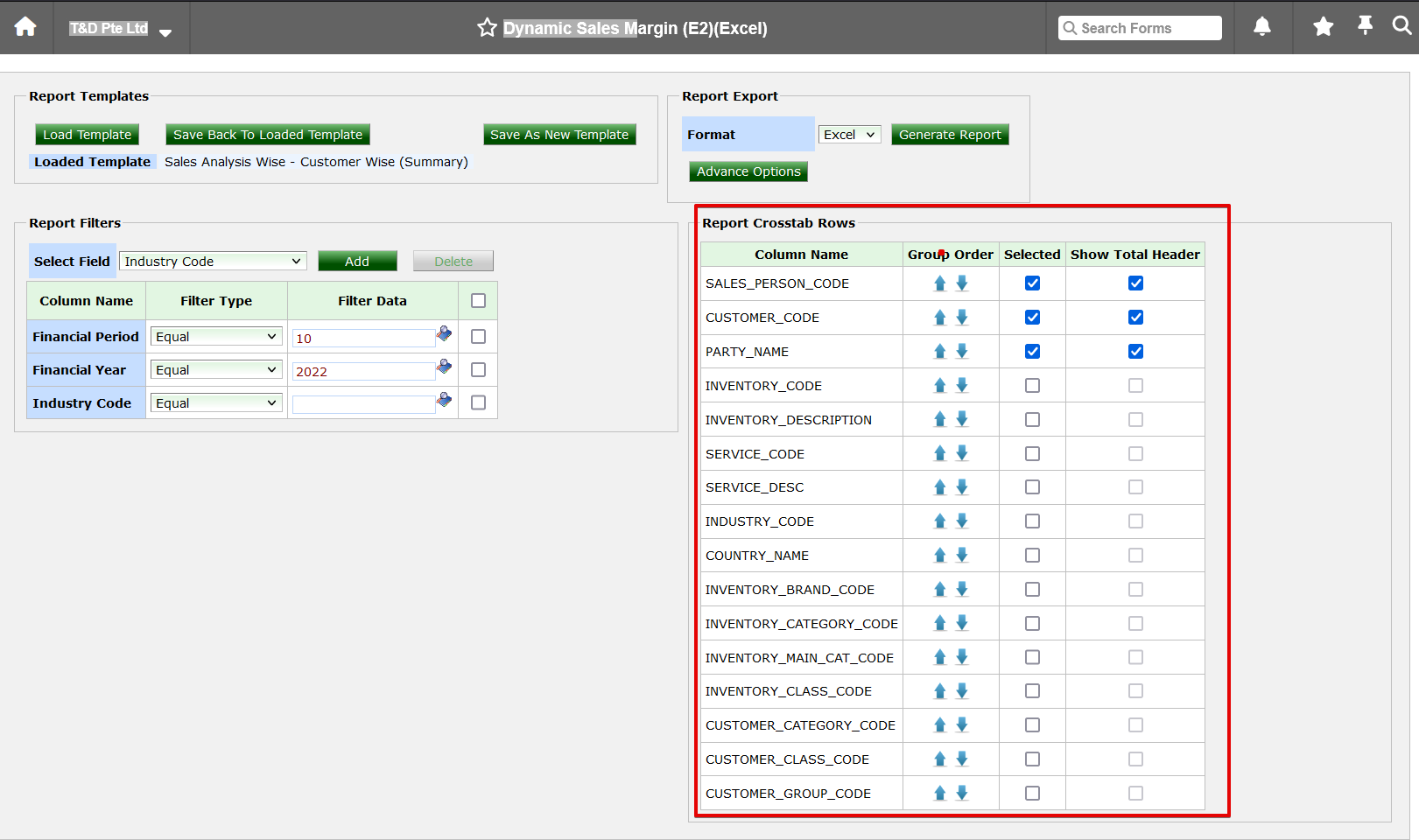
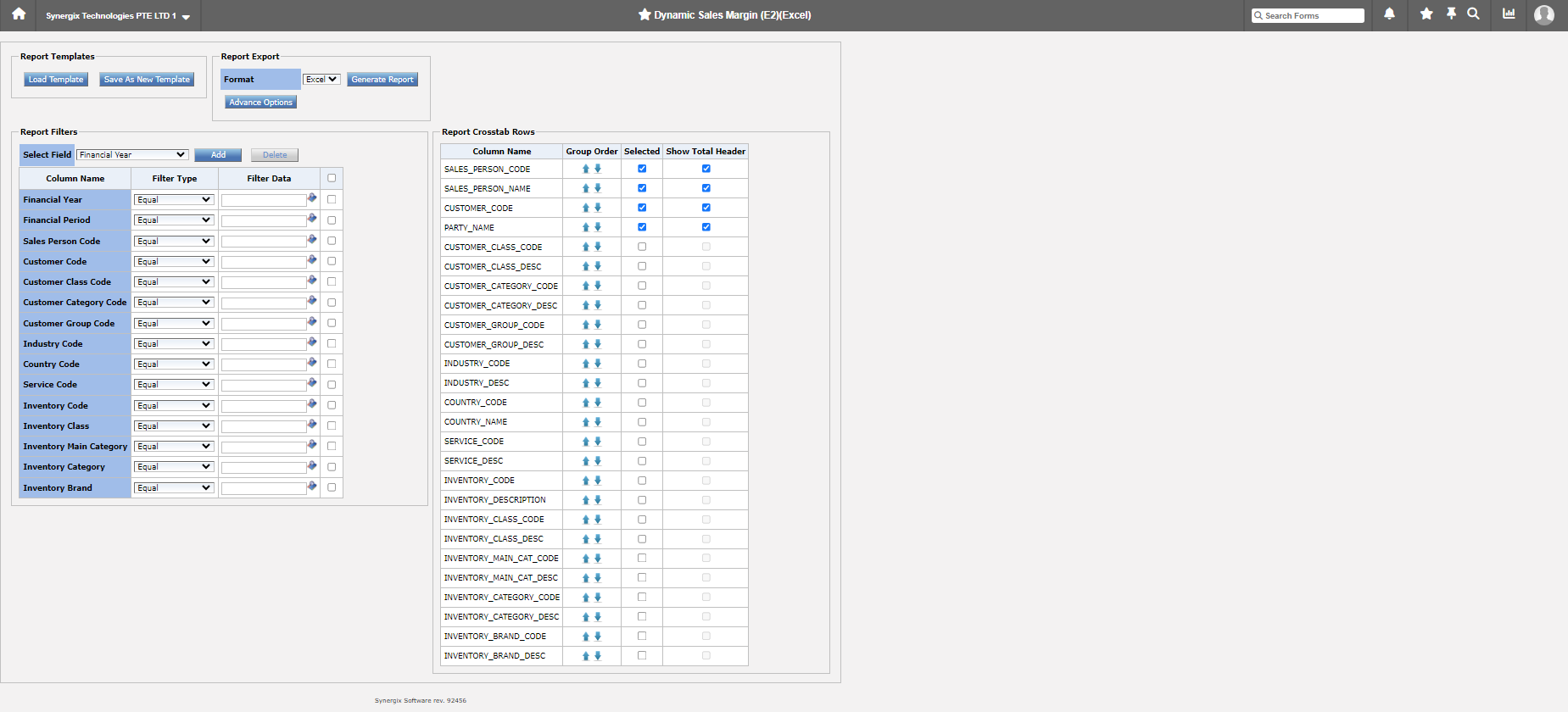
1. Dynamic Sales Report – Enhance Report Crosstab Rows (FC: 3132)
This month, we have enhanced report crosstab rows as following:
SALES_PERSON_CODE SALES_PERSON_SHORT_NAME CUSTOMER_CODE CUSTOMER_NAME CUSTOMER_CLASS_CODE CUSTOMER_CLASS_DESC CUSTOMER_CATEGORY_CODE CUSTOMER_CATEGORY_DESC CUSTOMER_GROUP_CODE CUSTOMER_GROUP_DESC INDUSTRY_CODE INDUSTRY_DESC COUNTRY_CODE COUNTRY_NAME SERVICE_CODE SERVICE_DESC INVENTORY_CODE INVENTORY_DESCRIPTION INVENTORY_CLASS_CODE INVENTORY_CLASS_DESC INVENTORY_MAIN_CAT_CODE INVENTORY_MAIN_CAT_DESC INVENTORY_CATEGORY_CODE INVENTORY_CATEGORY_DESC INVENTORY_BRAND_CODE INVENTORY_BRAND_DESC |
FINANCIAL_YEAR FINANCIAL_PERIOD SALES_PERSON_CODE CUSTOMER_CODE CUSTOMER_CLASS_CODE CUSTOMER_CATEGORY_CODE CUSTOMER_GROUP_CODE INDUSTRY_CODE COUNTRY_CODE SERVICE_CODE INVENTORY_CODE INVENTORY_CLASS_CODE INVENTORY_MAIN_CAT_CODE INVENTORY_CATEGORY_CODE INVENTORY_BRAND_CODE |
Payroll & Finance
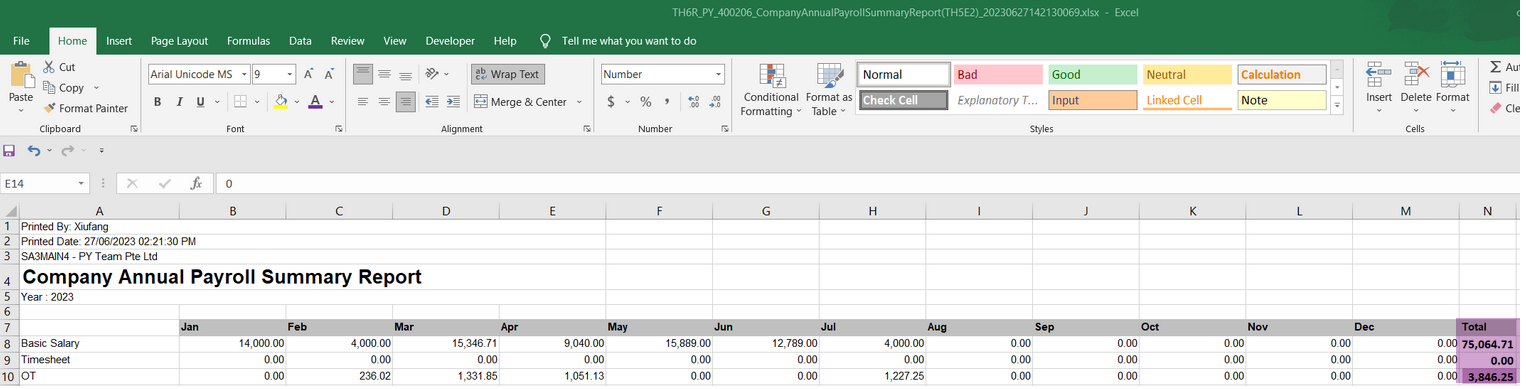
1. Enhancement to Company Annual Payroll Summary Report (FC: 8146, 8147, TH6_Company)
To help users see total for each payroll component for the year, we added that as an enhancement to Company Annual Payroll Summary Report.